Answers for every step from quote to payment.
Learn how to create polished documents, deliver them to clients, manage usage and billing, and publish your business site.
Popular: PDF, quote conversion, taxes, usage, password reset
Popular guides
The tasks most people need when setting up TalliDraft.
All topics
34 answers
How do I create my first invoice?Add your business, client, line items, tax, and payment details.
- Open the invoice editor and select Invoice.
- Enter the document number, issue and due dates, sender details, and client details.
- Add line items with a description, quantity, unit price, and optional tax.
- Add payment instructions, notes, and footer content.
- Save, preview the design, then download or email the PDF.
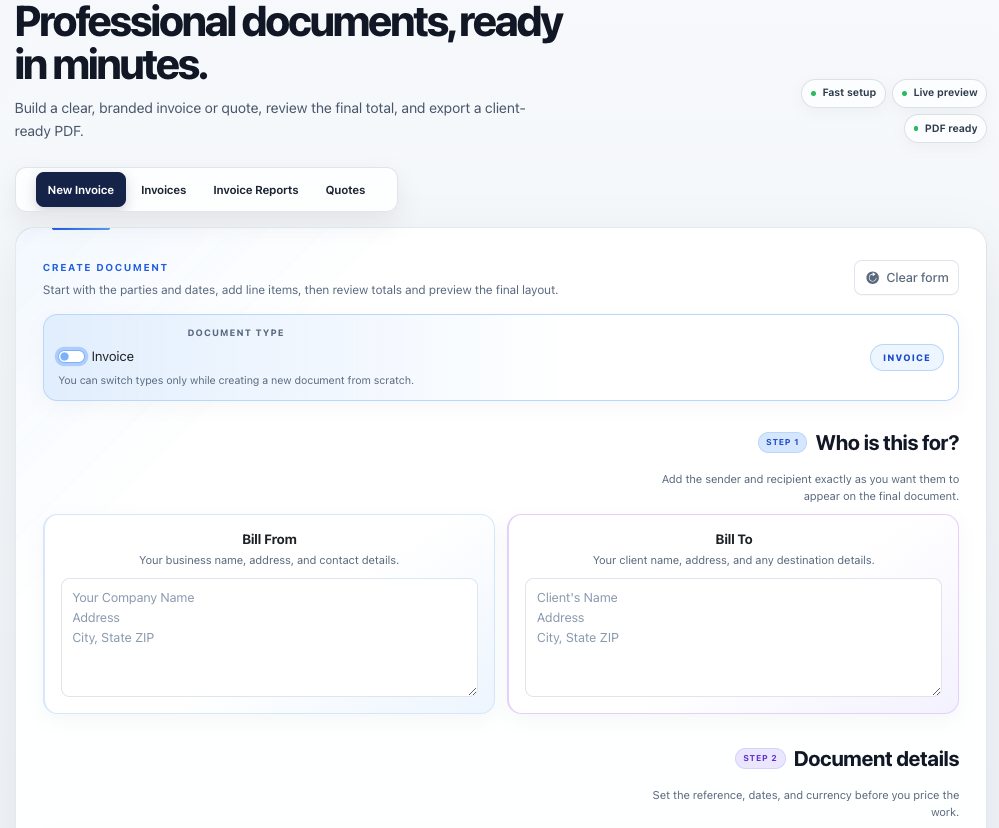
Can I use TalliDraft for free?Explore the editor and start with a practical free account allowance.
Yes. You can explore the editor before signing in. A free account lets you save and manage documents and includes a one-month allowance of 50 PDF downloads and 20 invoice emails.
Your profile and subscription page show how much usage remains and when the free period ends.
Create a free accountWhat is the difference between an invoice and a quote?Quotes propose work; invoices request payment.
A quote presents proposed work, pricing, validity, deposit requirements, and acceptance terms before work begins. An invoice requests payment and includes a due date and payment instructions.
TalliDraft tracks quote status and can convert a quote into an invoice without re-entering its commercial details.
Who is TalliDraft designed for?Freelancers, contractors, consultants, sole traders, and small teams.
TalliDraft is designed for service businesses that need professional invoices and quotes without adopting a heavyweight accounting suite. It works especially well for freelancers, consultants, trades, agencies, and small business owners.
Browse industry-specific guides.What information should I prepare before creating an invoice?Gather sender, client, document, pricing, tax, and payment information.
For a smooth setup, have the following ready:
- Your business name, address, email, and applicable tax number.
- The client or customer name and billing address.
- An invoice number, issue date, due date, and currency.
- Descriptions, quantities, unit prices, and relevant tax rates.
- Payment instructions and the reference clients should use.
A logo, notes, and footer details are optional and can be added after the document totals are complete.
Can I use TalliDraft on a phone or tablet?The main workflows are responsive, while detailed editing is easier on desktop.
Yes. The editor, document lists, account pages, and Site Builder are responsive. You can review documents and make straightforward changes from a phone or tablet.
A desktop or laptop is recommended for long line-item tables, detailed template customization, large PDF previews, and Site Builder portfolio management.
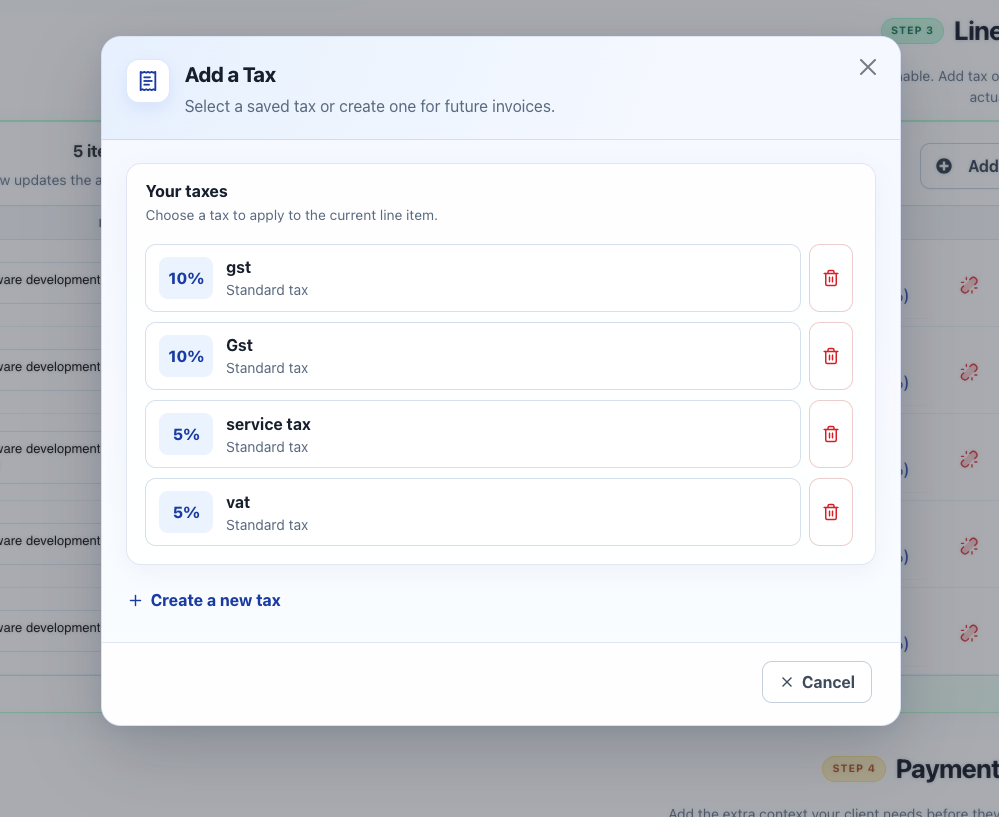
How do line items and taxes work?Add quantity, unit price, units, and reusable standard or compound taxes.
- Add a description, quantity, unit price, and optional unit name.
- Select Add Tax on the relevant row.
- Choose a saved tax or create one with a name and percentage.
- Use compound tax only when it should be calculated after other taxes.
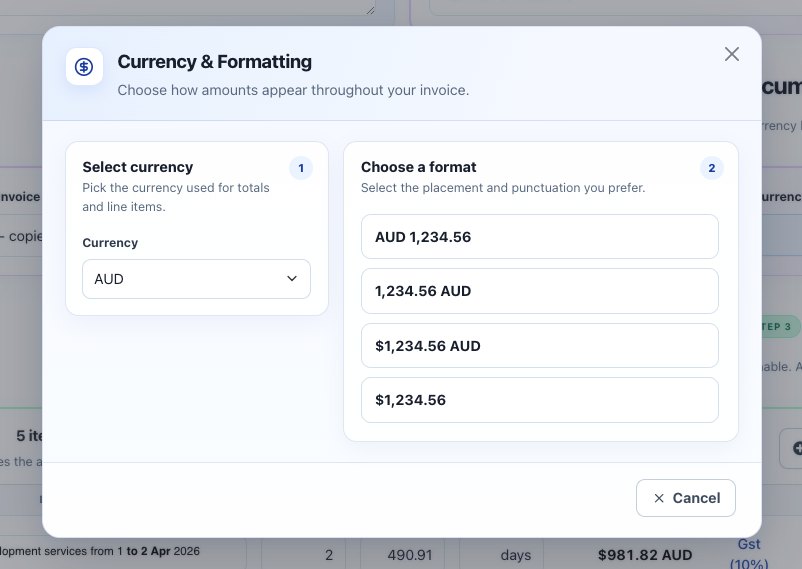
Can I change the currency and number format?Choose the currency and the exact placement of symbols or codes.
Yes. Open Currency & Formatting, choose the currency, then select a presentation such as symbol-before, symbol-after, or currency-code format.
Signed-in users can save a preferred currency and format under Profile preferences.
How do quote statuses and conversion work?Track draft, sent, accepted, or declined quotes and convert them.
Quotes can move through Draft, Sent, Accepted, and Declined states. Use the quote row action menu to update status or convert it into an invoice.
Conversion creates an invoice from the quote while preserving the original quote for your records.
Suggested 45-second video: update status, convert, and review the new invoice.
How do I save and find invoices or quotes?Signed-in users get searchable lists, filters, statuses, and row actions.
Save from the editor, then open the Invoices or Quotes tab. Search by customer or document information and narrow results with date and status filters.
Row actions support tasks such as copying, previewing, converting, or deleting, depending on the document type.
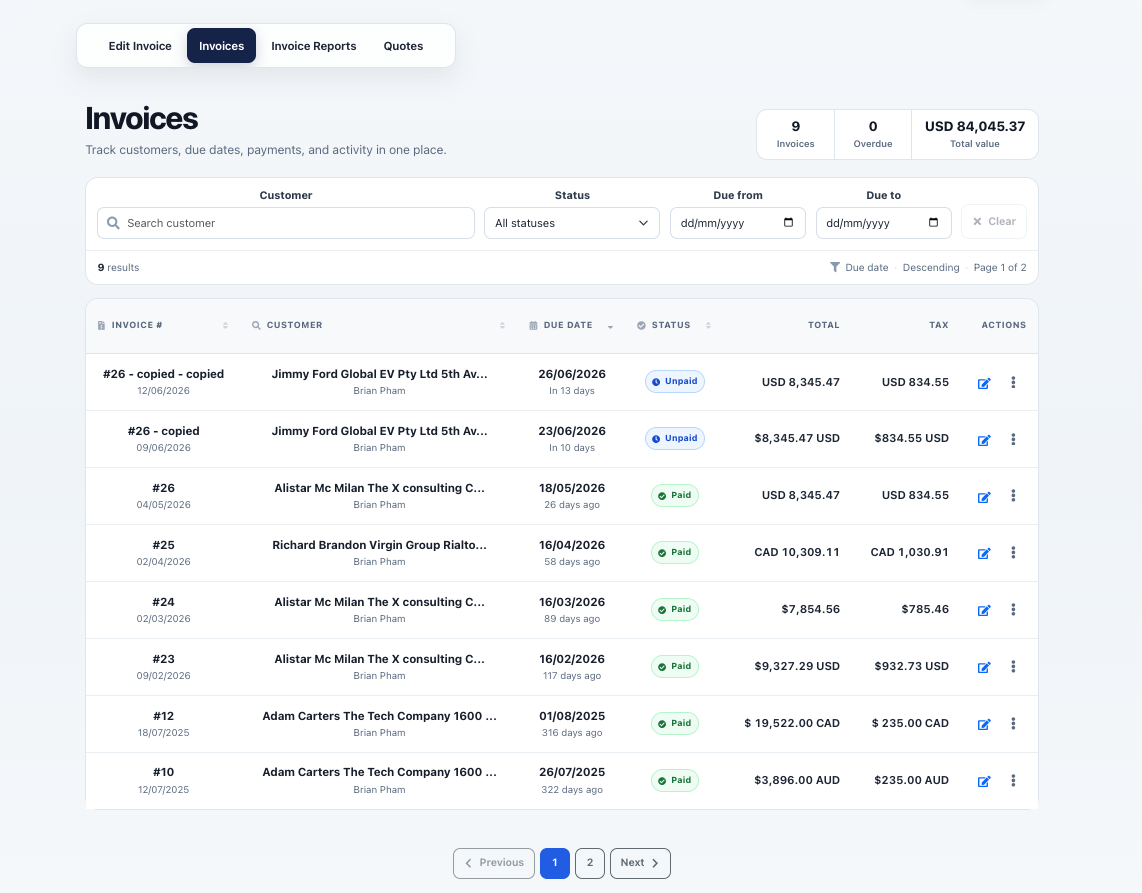
How do invoice statuses and overdue invoices work?Mark invoices paid or unpaid and identify unpaid documents past their due date.
Saved invoices can be marked Paid or Unpaid. An unpaid invoice whose due date has passed is presented as overdue in the invoice list and filters.
Statuses are managed manually, so update an invoice when payment arrives. TalliDraft does not currently reconcile bank transactions automatically.
Can I copy an existing invoice or quote?Reuse a saved document as a starting point instead of entering it again.
Yes. Open the row action menu in the invoice or quote list and choose the copy action. TalliDraft creates a separate document using the original details as a starting point.
Can a quote include a deposit and acceptance wording?Add a deposit percentage and clear terms for the client to approve.
Yes. Quote details include a deposit percentage and acceptance text. Use these fields to explain what the client is agreeing to and what payment is required before work starts.
Keep the wording specific: scope, quote validity, deposit timing, cancellation expectations, and any conditions that affect delivery. For legal language, use terms appropriate to your jurisdiction and business.
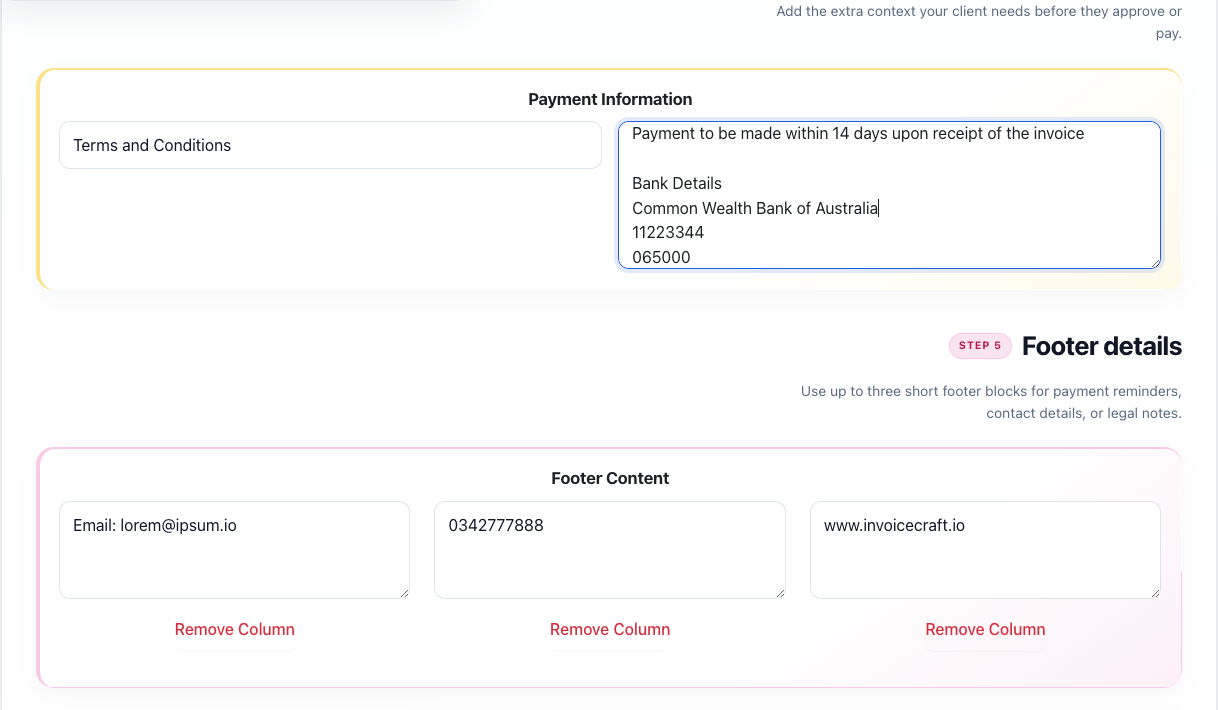
What are notes, payment information, and footer blocks for?Separate client context, payment instructions, and reusable business details.
- Notes provide document-specific context or a short message to the client.
- Payment information contains bank, transfer, or reference instructions.
- Footer blocks hold up to three short sections for contact details, reminders, tax information, or disclaimers.
How do I customize and download a PDF?Preview templates, fonts, colors, and logos before export.
- Open Preview from the editor or saved-document action menu.
- Select a template, font, theme color, and supported logo.
- Refresh the preview after changing its design options.
- Select Download PDF when it is ready.
Design controls alongside the generated document preview.
What happens when an invoice has many line items?The final PDF can continue across pages while preserving its document layout.
Long invoices and quotes can continue across multiple PDF pages. The preview panel is intended as a visual snapshot, while the downloaded PDF contains the complete rendered document.
Keep descriptions concise and preview documents with many items before sending them. Some template layouts are naturally better suited to dense tables than highly decorative designs.
Why is the logo option unavailable for some templates?Some layouts are intentionally text-first and do not contain a logo area.
Template capabilities vary. Some designs include a dedicated logo area, while others use a text-first header where logo selection is disabled to preserve the layout.
Choose another template if a logo is essential, then refresh the preview to confirm its placement before downloading or emailing.
How do I send an invoice by email?Send the PDF with recipient, CC, reply-to, subject, and message fields.
- Open Preview and select Send Email.
- Enter the recipient, optional CC and reply-to addresses, subject, and message.
- Review the details and send the attached PDF.
Successful sends count toward your account email allowance. A send record confirms that TalliDraft handed the message to its email provider, not that the recipient opened it.
Suggested video: preview, complete the email form, send, and review activity.
Can I see when an invoice was emailed or downloaded?Saved invoice activity records successful email sends and generated downloads.
Yes. Open a saved invoice’s activity or details area to review recorded email sends and PDF downloads, including available timestamps and download links.
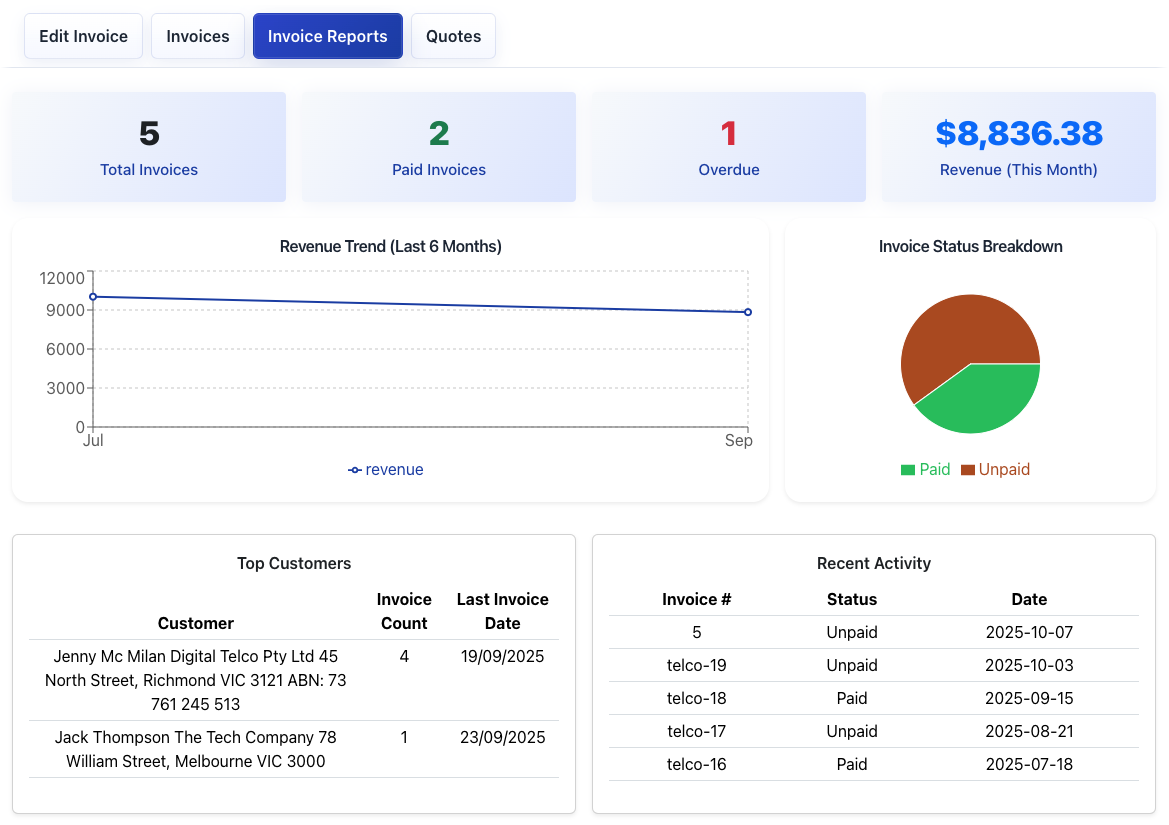
What invoice reporting is available?Review invoice counts, payment status, overdue documents, and revenue summaries.
Invoice reports summarize document volume and payment information, including paid, unpaid, and overdue invoices and revenue-oriented metrics. Report selections can help you move into a more focused invoice list.
Can I upload logos and save a favorite design?Manage up to five logos and reuse preferred visual settings.
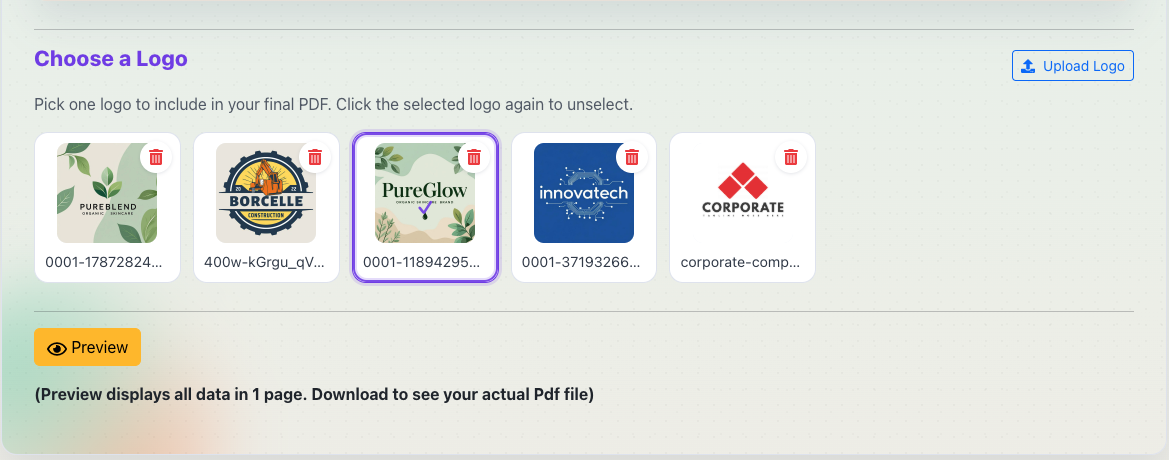
Signed-in users can upload and manage up to five logos. Choose a logo in Preview when the selected template supports one.
Save a favorite template, font, theme color, and logo so new documents can begin with a consistent brand style.
What are the usage limits and paid plans?Free, Standard, and Premium accounts have visible document allowances.
- Free: 50 downloads and 20 emails during the free month.
- Standard, $3 USD/month: 1,000 downloads and 1,000 emails each month.
- Premium, $5 USD/month: 5,000 downloads, 5,000 emails, and premium publishing features.
Usage meters show used and remaining allowances plus the applicable end or reset date.
Compare plansHow are subscriptions and payments managed?Stripe handles checkout, payment methods, billing records, and cancellation.
Stripe securely processes subscription checkout and stores card details. TalliDraft does not store your card number.
Open the billing portal from the subscription page to review billing, update payment methods, change plans, or cancel. Cancellation normally takes effect at the end of the paid billing period.
Open subscriptionsHow do I change or reset my password?Change it in Profile or request a time-limited recovery link.
Signed-in users can change their password under Profile → Security. If you cannot sign in, use the Forgot password link on the sign-in page.
Recovery links expire after one hour. A successful password reset invalidates the link and signs out older sessions.
Go to sign inWhen is download or email usage counted?Usage is reserved for the action and released when processing fails.
PDF download usage is counted when TalliDraft successfully generates the requested document. Email usage is counted when the invoice email is successfully handed to the configured mail service.
The service reserves usage while processing and releases it when the operation fails, preventing known failed generation or sending attempts from permanently consuming the allowance.
When do my usage limits reset?Paid usage follows the Stripe billing period; free access has a fixed end date.
Standard and Premium usage follows the active Stripe billing period and resets when the next billing cycle begins. The subscription page shows the relevant reset date.
Free-account usage belongs to the initial one-month access period and does not become a recurring monthly free allowance after that period ends.
What happens if a subscription payment fails?Paid features can pause until the billing issue is resolved through Stripe.
If Stripe reports a billing state such as past due, unpaid, or incomplete, paid-plan access may be paused. TalliDraft displays the subscription status and directs you to Stripe’s billing portal.
Update the payment method or resolve the outstanding payment there. Subscription access is restored after the updated Stripe status is synchronized.
What can I build with the Premium Site Builder?Publish a focused business site with services, proof, and contact details.
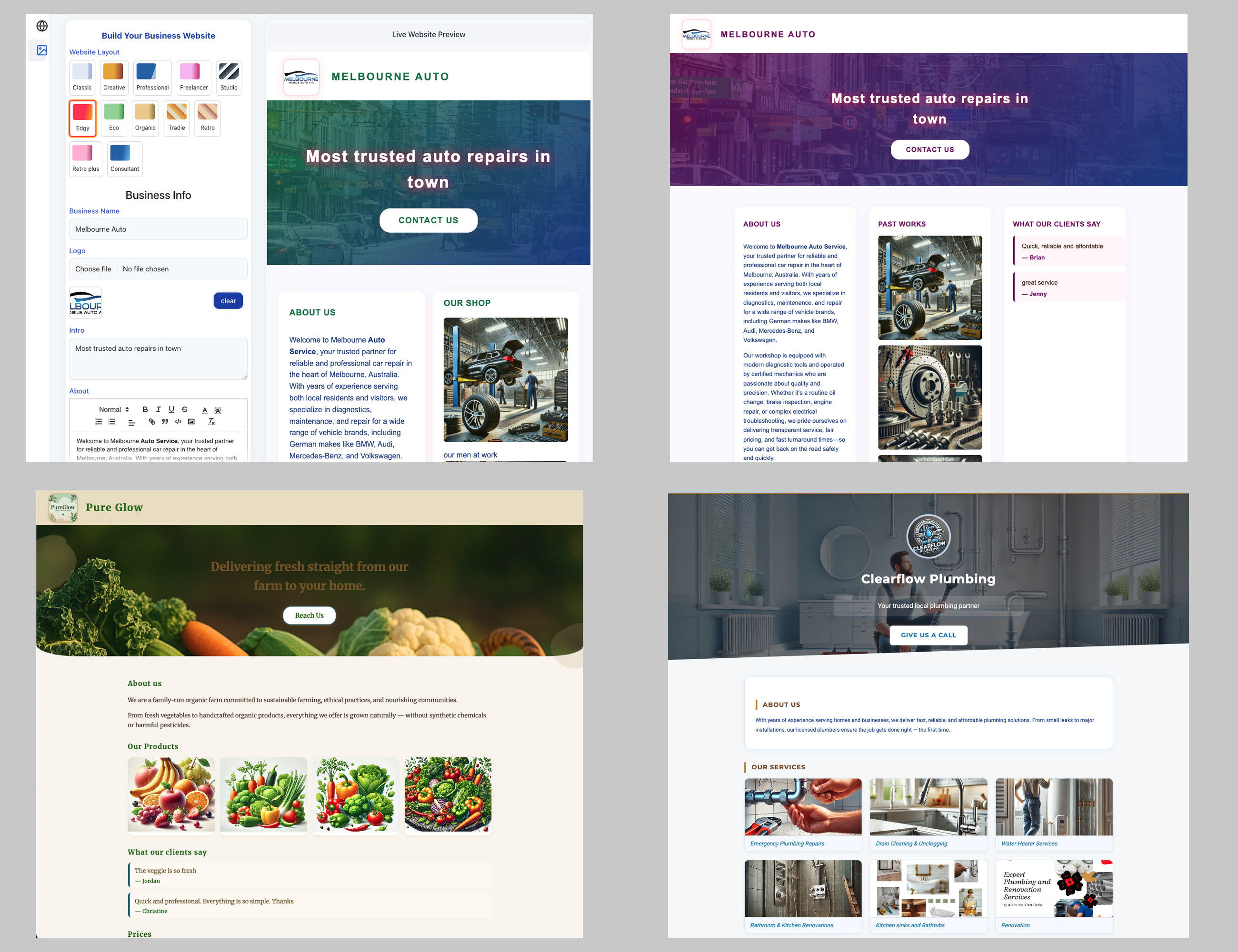
Premium users can create a lightweight business site with a chosen layout, color palette, introduction, About section, testimonials, pricing, working hours, contact details, social links, and portfolio images.
Choose an TalliDraft subdomain, preview the site, and publish updates from the Site Builder.
What content can I add to my business site?Combine business copy, services, testimonials, pricing, hours, links, and images.
The Site Builder supports:
- Business name, introduction, and rich-text About content.
- Testimonials and service pricing.
- Working hours, address, phone, email, and social links.
- A business logo and up to ten portfolio images.
Keep images relevant and compressed so the published page remains quick to load on mobile connections.
Can I edit and republish my site later?Update business details or portfolio content and publish a new version.
Yes. Return to the Site Builder whenever your hours, contact details, services, prices, testimonials, or portfolio change. Preview the revised page and publish again.
The new version may take roughly a minute to appear. Browser and edge caching can occasionally make the previous version visible briefly.
How long does publishing take, and can I use my own domain?Subdomain updates usually publish quickly; custom domains require DNS setup.
Publishing normally appears within about a minute, although caching and infrastructure updates can occasionally take longer. Republish whenever your business details change.
TalliDraft subdomains are the simplest option. Custom domain support may depend on your plan and current availability.
Suggested video: choose a subdomain, publish, verify status, and explain DNS.
What information should I include in a support request?Share reproducible context without exposing credentials or payment data.
Useful support details include:
- The page and action you were using.
- The approximate date and time of the problem.
- Your browser and device type.
- The exact visible error and a screenshot with private data hidden.
- Whether retrying once produced the same result.
Never include your password, password-reset URL, authentication cookies, Stripe secret keys, full card number, or sensitive client information.
How are passwords, sessions, and payments protected?Strong password hashing, HTTP-only sessions, time-limited recovery, and Stripe.
- Passwords are stored as strong one-way hashes.
- Authentication uses HTTP-only cookies unavailable to client scripts.
- Password recovery links are time-limited and single-purpose.
- Stripe hosts payment entry and stores card information.
Read the Privacy Policy and Terms for additional information.
What should I check when preview, email, or checkout fails?A concise checklist for the most common temporary issues.
- Refresh once and retry without repeatedly submitting the action.
- Confirm you are signed in and still have usage remaining.
- Check required fields and email address formatting.
- Allow Stripe redirects and disable aggressive content blockers.
- Use a current desktop browser for complex PDF previews.
If the problem remains, include the page, action, browser, approximate time, and exact error when contacting support. Never send passwords, reset links, authentication cookies, or card details.
Still need a hand?